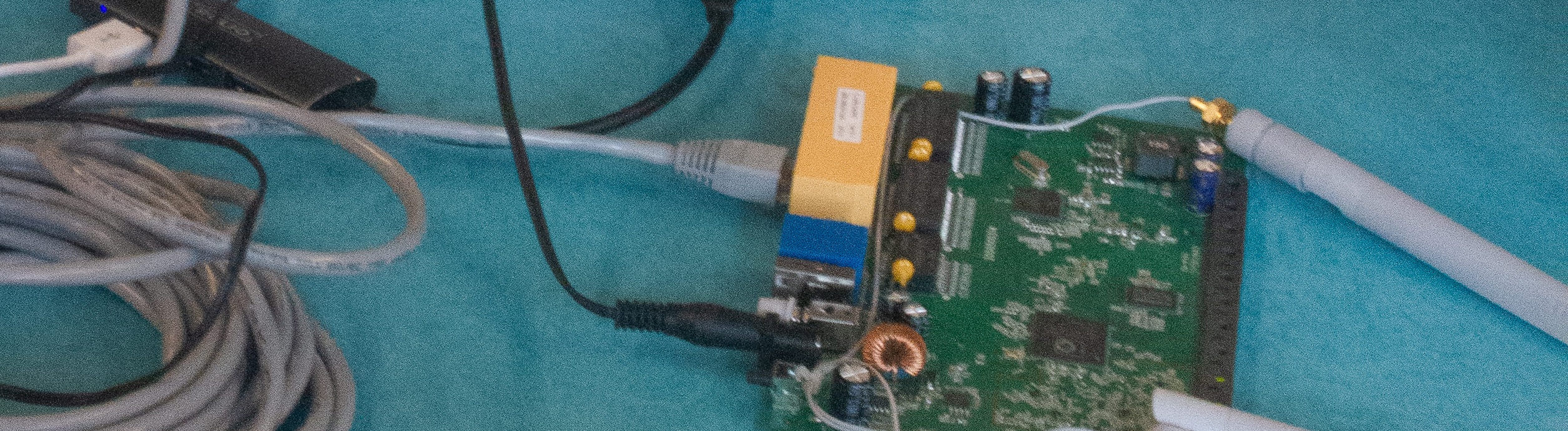
Task /01: The Device
Designed by:
Luca Marini
Date:
27-04-2026
Brand:
TP-Link
Model:
TL-WDR4300
Hardware Version:
v1.3
Year of Production:
c. 2012
Chipset:
Qualcomm Atheros AR9344
Flash Memory:
8 MB
RAM:
128 MB
Node Name:
LiMe-648342
Sources:
Task /02: Accessing the Device Interface
Struggle Accessing?:
No.
Admin Login:
admin / admin
Interface Description:
Standard TP-Link factory firmware UI, older style, early 2010s web design feel.
Errors & Fixes:
—
Task /03: Downloading OpenWrt
Image File:
openwrt-25.12.2-ath79-generic-tplink_tl-wdr4300-v1-squashfs-factory.bin
Target / Architecture:
ath79 / generic / mips_24kc
Version:
OpenWrt 25.12.2 (r32802-f505120278)
Note on Hardware Version:
The device label reads v1.3 but OpenWrt firmware selector only lists "v1": v1.x minor revisions all use the same firmware. Selected "TP-Link TL-WDR4300 v1" without issues.
Sources:
Task /04: Installing OpenWrt
Method:
Via TP-Link factory firmware web interface, System Tools → Firmware Upgrade.
Did it work?:
Yes.
Device Behaviour:
LEDs blinked heavily during flash. Process took approximately 4 minutes. Router rebooted automatically into OpenWrt, LuCI accessible at 192.168.1.1.
Errors & Fixes:
—
Task /05: Downloading LibreMesh
File Downloaded?:
Yes, built on demand via firmware-selector.libremesh.org.
Version:
LibreMesh master (rev. aebe482, 20260416_0843), based on OpenWrt 25.12.2
Flavor:
Mini: default flavor was too large for the 8 MB flash. The firmware selector itself flagged the incompatibility and the build failed. Switched to mini flavor and it worked.
Image File:
libremesh-master-ath79-generic-tplink_tl-wdr4300-v1-squashfs-sysupgrade.bin (mini flavor, ~6.63 MiB)
Build Time:
Approximately 5-10 minutes, built server-side on request.
Sources:
Task /06: Installing LibreMesh
Method:
Via OpenWrt LuCI, System → Backup/Flash Firmware → Flash new firmware image. "Keep settings" unchecked.
Did it work?:
Yes.
Duration:
Approximately 4 minutes.
Device Behaviour:
Heavy LED blinking during flash, then router rebooted. SSH connection dropped automatically, expected behaviour.
Errors & Fixes:
—
Task /07: Results
Access Point Visible?:
Yes, "LibreMesh.org/LiMe-648342" visible in the Wi-Fi list.
Connection Possible?:
Yes.
thisnode.info Interface:
No graphical interface: mini flavor does not include lime-app due to flash size constraints. Accessing thisnode.info returns a raw file index (cgi-bin/, docs/). The mesh is fully functional; the interface is simply absent.
Mesh Confirmed via SSH?:
Yes, batctl n returned two active neighbours via B.A.T.M.A.N. Advanced on wlan0-mesh and wlan1-mesh.
Notes:
The absence of a web interface is a known limitation of 8 MB flash devices running LibreMesh. For workshop purposes, the visible SSID and batctl n output are sufficient to demonstrate that the node is active and meshing.
〔↘〕 download as pdf