The
Mutable Net
About
The Project
〔←〕
Node/10
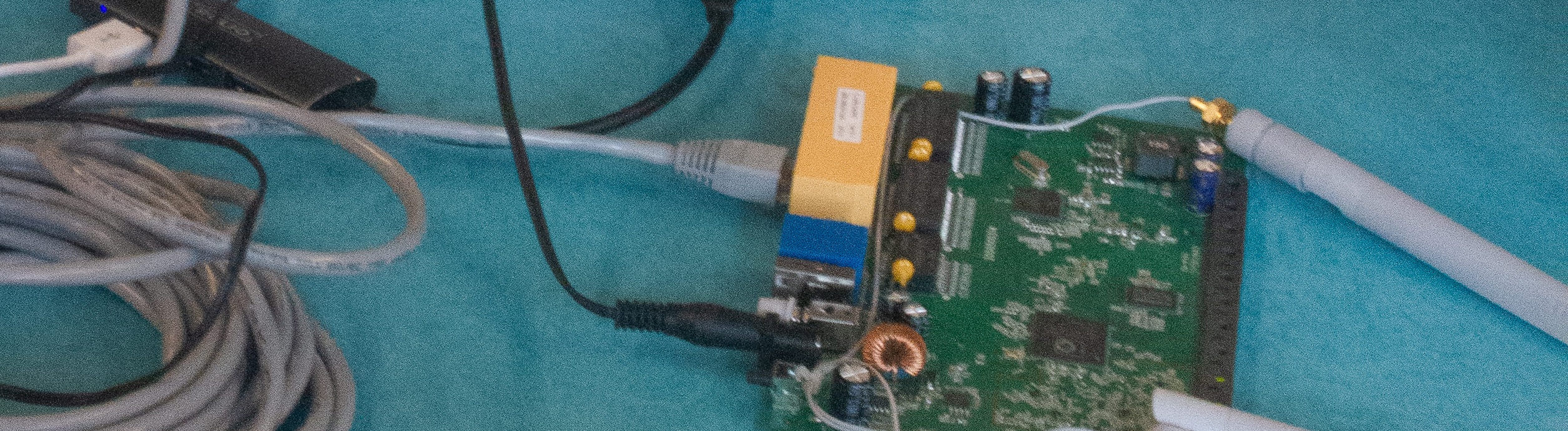
Task /01: The Device
Designed by:
Luca Marini
Date:
12-06-2026
Brand:
GL.iNet
Model:
GL-AR300M16-Ext (Shadow)
Hardware Version:
16 MB NOR flash variant, external antennas
Year of Production:
Not recorded, purchased new, 2026
Chipset:
Qualcomm Atheros AR9331
Flash Memory:
16 MB NOR
RAM:
128 MB
Node Name:
—
Sources:
Task /02: Accessing the Device Interface
Struggle Accessing?:
Yes.
Errors & Fixes:
Mac repeatedly showed "Self-assigned IP" (169.254.x.x) over the USB-Ethernet adapter, meaning no DHCP response from the router. Fixed by manually setting a static IP (192.168.8.2 / 255.255.255.0, router 192.168.8.1) in macOS Network settings: this is the GL.iNet stock firmware's default subnet.
Admin Login:
GL.iNet stock panel at 192.168.8.1, admin password set on first access.
Interface Description:
GL.iNet Admin Panel v4.3.28, based on OpenWrt 22.03.4 (BusyBox v1.35.0).
Factory Firmware Version:
OpenWrt 22.03.4, r20123-38ccc47687 (GL.iNet OEM build)
Task /03: Downloading OpenWrt
Image File:
openwrt-25.12.4-ath79-generic-glinet_gl-ar300m16-squashfs-sysupgrade.bin
Target / Architecture:
ath79 / generic
Chosen Configuration:
Default: sysupgrade image, no firstboot customisation.
Did it work?:
Upload yes, verification failed.
Errors & Fixes:
The GL.iNet web UI ("Local Upgrade") rejected the file: "Testing the firmware with sysupgrade failed" / Verification Result: Failed. The OEM firmware identified the board internally as glinet,gl-ar300m-nor, while the mainline image expected glinet,gl-ar300m16. Resolved by flashing via SSH instead (see Task /04).
Sources:
Task /04: Installing OpenWrt
Errors & Fixes:
SSH first failed with "Host key verification failed" (stale entry from a previous session), resolved with ssh-keygen -R 192.168.8.1. scp then failed with "ash: /usr/libexec/sftp-server: not found" because the OEM BusyBox lacks an SFTP server, resolved by using the legacy protocol flag: scp -O. Finally flashed with sysupgrade -n -F (forcing past the board-name mismatch); the SSH session closed as the device rebooted, exactly as expected.
Accessibility — Login Steps:
ssh root@192.168.8.1 → scp -O sysupgrade.bin to /tmp/ → sysupgrade -n -F → reboot (~2 min) → static IP 192.168.1.10/24 on the Mac → LuCI reachable at 192.168.1.1.
Device Behaviour:
After reboot, two status LEDs settled into a normal pattern, one solid, one blinking, indicating a successful boot rather than a failsafe loop.
Task /05: Downloading LibreMesh
File Downloaded?:
Yes.
Version:
OpenWrt 25.12.4 + LibreMesh packages, built via LibreMesh's own Attended Sysupgrade server
Image File:
openwrt-25.12.4-0a3f71054b2e-ath79-generic-glinet_gl-ar300m16-squashfs-sysupgrade.bin
Generated Successfully?:
Yes, generated via sysupgrade.libremesh.org, "Request Build" with LibreMesh (lime-*) packages added on top of the stock OpenWrt 25.12.4 base.
Errors & Fixes:
Initially mistaken for a plain OpenWrt build because of the unfamiliar filename hash: the sysupgrade.libremesh.org domain in the download link confirmed it was LibreMesh's own ASU instance, not the generic OpenWrt one.
Sources:
Task /06: Installing LibreMesh
Did it work?:
Yes.
Device Behaviour:
Flashed via LuCI (System → Backup/Flash Firmware → Local Upgrade), checksum verified successfully this time. "Keep settings" was unchecked to allow LibreMesh's default network configuration to apply. Router rebooted and began broadcasting a LibreMesh.org SSID.
Duration:
~2 hours including all troubleshooting (mostly spent on Tasks /02–/04).
Errors & Fixes:
—
Task /07: Results
Access Point Visible?:
Yes, a LibreMesh.org access point appeared in the Wi-Fi list immediately after reboot.
Access Point Name:
LibreMesh.org/… (full name not recorded)
Connection Possible?:
Yes, confirmed on the first unit. A second, identical GL-AR300M16-Ext was being flashed using the same procedure at time of writing.
thisnode.info Interface:
Not yet recorded, first node confirmed reachable via lime-app at thisnode.info / 10.13.0.1; full node naming and mesh configuration to follow.
〔↘〕 download as pdf
Task /01The Device
Designed by:
Luca Marini
Date:
12-06-2026
Brand:
GL.iNet
Model:
GL-AR300M16-Ext (Shadow)
Hardware Version:
16 MB NOR flash variant, external antennas
Year of Production:
Not recorded, purchased new, 2026
Chipset:
Qualcomm Atheros AR9331
Flash Memory:
16 MB NOR
RAM:
128 MB
Node Name:
—
Task /02Accessing the Device Interface
Struggle Accessing?:
Yes.
Errors & Fixes:
Mac repeatedly showed "Self-assigned IP" (169.254.x.x) over the USB-Ethernet adapter, meaning no DHCP response from the router. Fixed by manually setting a static IP (192.168.8.2 / 255.255.255.0, router 192.168.8.1) in macOS Network settings: this is the GL.iNet stock firmware's default subnet.
Admin Login:
GL.iNet stock panel at 192.168.8.1, admin password set on first access.
Interface Description:
GL.iNet Admin Panel v4.3.28, based on OpenWrt 22.03.4 (BusyBox v1.35.0).
Factory Firmware Version:
OpenWrt 22.03.4, r20123-38ccc47687 (GL.iNet OEM build)
Task /03Downloading OpenWrt
Image File:
openwrt-25.12.4-ath79-generic-glinet_gl-ar300m16-squashfs-sysupgrade.bin
Target / Architecture:
ath79 / generic
Chosen Configuration:
Default: sysupgrade image, no firstboot customisation.
Did it work?:
Upload yes, verification failed.
Errors & Fixes:
The GL.iNet web UI ("Local Upgrade") rejected the file: "Testing the firmware with sysupgrade failed" / Verification Result: Failed. The OEM firmware identified the board internally as glinet,gl-ar300m-nor, while the mainline image expected glinet,gl-ar300m16. Resolved by flashing via SSH instead (see Task /04).
Task /04Installing OpenWrt
Errors & Fixes:
SSH first failed with "Host key verification failed" (stale entry from a previous session), resolved with ssh-keygen -R 192.168.8.1. scp then failed with "ash: /usr/libexec/sftp-server: not found" because the OEM BusyBox lacks an SFTP server, resolved by using the legacy protocol flag: scp -O. Finally flashed with sysupgrade -n -F (forcing past the board-name mismatch); the SSH session closed as the device rebooted, exactly as expected.
Accessibility — Login Steps:
ssh root@192.168.8.1 → scp -O sysupgrade.bin to /tmp/ → sysupgrade -n -F → reboot (~2 min) → static IP 192.168.1.10/24 on the Mac → LuCI reachable at 192.168.1.1.
Device Behaviour:
After reboot, two status LEDs settled into a normal pattern, one solid, one blinking, indicating a successful boot rather than a failsafe loop.
Task /05Downloading LibreMesh
File Downloaded?:
Yes.
Version:
OpenWrt 25.12.4 + LibreMesh packages, built via LibreMesh's own Attended Sysupgrade server
Image File:
openwrt-25.12.4-0a3f71054b2e-ath79-generic-glinet_gl-ar300m16-squashfs-sysupgrade.bin
Generated Successfully?:
Yes, generated via sysupgrade.libremesh.org, "Request Build" with LibreMesh (lime-*) packages added on top of the stock OpenWrt 25.12.4 base.
Errors & Fixes:
Initially mistaken for a plain OpenWrt build because of the unfamiliar filename hash: the sysupgrade.libremesh.org domain in the download link confirmed it was LibreMesh's own ASU instance, not the generic OpenWrt one.
Task /06Installing LibreMesh
Did it work?:
Yes.
Device Behaviour:
Flashed via LuCI (System → Backup/Flash Firmware → Local Upgrade), checksum verified successfully this time. "Keep settings" was unchecked to allow LibreMesh's default network configuration to apply. Router rebooted and began broadcasting a LibreMesh.org SSID.
Duration:
~2 hours including all troubleshooting (mostly spent on Tasks /02–/04).
Errors & Fixes:
—
Task /07Results
Access Point Visible?:
Yes, a LibreMesh.org access point appeared in the Wi-Fi list immediately after reboot.
Access Point Name:
LibreMesh.org/… (full name not recorded)
Connection Possible?:
Yes, confirmed on the first unit. A second, identical GL-AR300M16-Ext was being flashed using the same procedure at time of writing.
thisnode.info Interface:
Not yet recorded, first node confirmed reachable via lime-app at thisnode.info / 10.13.0.1; full node naming and mesh configuration to follow.
〔↘〕 download as pdf